 TickHint
Blog · Agents · Telegram · TickMate · Product
CPI Watch: say it once, and TickMate keeps watch until the print
TickHint Dev Team · · 4 min read
A scheduled agent from one Telegram voice note. See the event on your calendar, say what you want watched and how often, then go live your life until a trade idea lands on your phone with an Approve button.
Every month there is a print that moves everything you hold. US CPI. Payrolls. An FOMC decision. You know it is coming. You know you cannot sit on the chart for two days waiting for it. And you know what it feels like to look away at the wrong moment.
This is the whole idea behind scheduled agents, in three steps. The video above is the real thing: one voice note on a Monday, and an agent that watches EURUSD until Wednesday's CPI.
1. See it coming
The economic calendar on your Intelligence page is sorted by impact. Two days out, US CPI sits at the top: Wednesday 14 October, 12:30 UTC. That is the moment you decide you want eyes on it that are not yours.
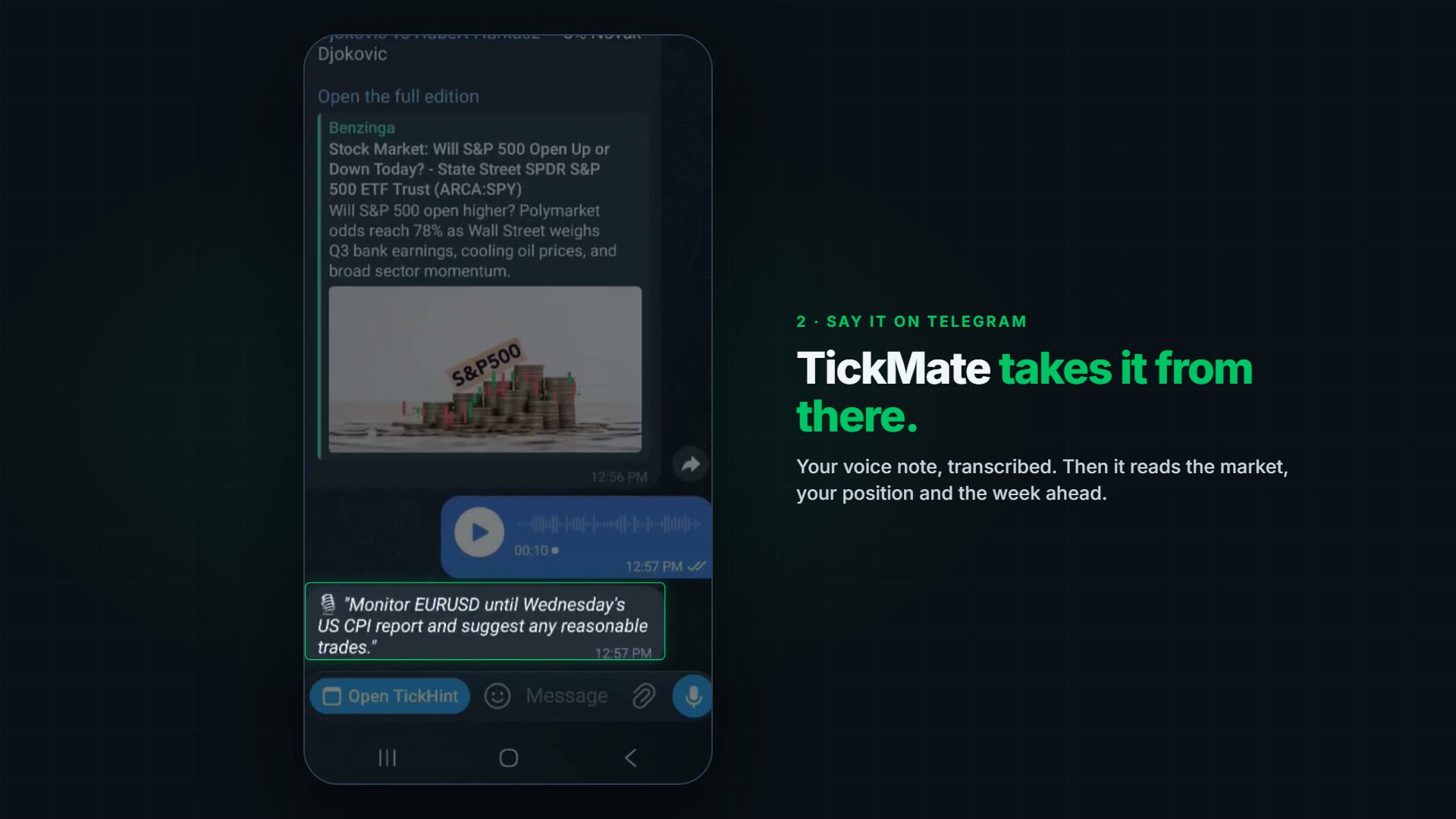
2. Say it on Telegram
Pull out your phone, open TickMate on Telegram, hold the microphone button and say what you are thinking:
"Monitor EURUSD until Wednesday's US CPI report and suggest any reasonable trades."
Your voice note is transcribed and TickMate takes it from there. It reads EURUSD's trend and drivers, your open position (a short, in the video), and the calendar through Wednesday. It finds the CPI print on its own and calls it the main event. Then it writes back a plan: hourly checks through the print, and any trade idea comes to you for approval first. No order without it.
The sentence is the same for any event you care about: "[Event] is in [N] days. Watch [symbol] and the markets every [interval] and report any trade worth taking." You do not configure anything. You say it.
3. Go live your life
The agent appears on your Schedules page: EURUSD CPI Watch, active, next run in 54 minutes. The mission is written out in full so you can read what it will do: its steps, the CPI time, your position and its limits. The schedule is yours to change. In the video it runs every 60 minutes, Monday to Friday, and it expires on its own on Wednesday afternoon, after the print. Pause it or delete it any time.
It runs in the cloud, not on your phone, so you can close Telegram and go to work. When it has something worth your attention, your phone buzzes: the symbol, the direction, the entry, the reasoning and the risk, with two buttons. Approve sends the order to your broker. Dismiss ends it. There is no third option.
It will also send you ideas you dismiss. That is the point. You see the reasoning every time, and nothing happens until you say so.
What it does, and what it does not
A scheduled agent reads your real positions, the price action, the news and the calendar, on the schedule you set, and it reasons about them. It never places a trade on its own. Its ideas are analysis, not investment advice, and it can be wrong. You are the one who approves, on your phone or in the browser, and your money stays at your broker.
On the AI side, one agent checking every hour is a modest spend: the Pro plan's monthly credit allowance covers a daily brief on a strong model, everyday Terminal use and an agent checking every 30 minutes. With your own AI key, nothing is metered.
Plans
Scheduled agents are part of Pro. Founding members, the first 200 Pro accounts, get $10 off every month for 12 months with the code FOUNDING at checkout. See the plans.
The next print is already on the calendar. Start free, connect your broker, and say what you want watched.